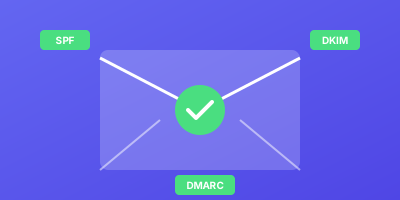
DomainKeys Identified Mail (DKIM) adds a crucial layer of trust to email communication. It cryptographically signs outgoing messages to prove authenticity and integrity.
Unlike SPF, which only verifies the sending server, DKIM proves the email content hasn't been modified in transit. Proper DKIM implementation is essential for modern email authentication.
What is DKIM (DomainKeys Identified Mail)?
DKIM is an email authentication method using public-key cryptography. It verifies both the authenticity and integrity of email messages.
How DKIM Works
- Your mail server creates a digital signature using a private key
- The signature is added to the email as a
DKIM-Signatureheader - The public key is published in your DNS as a TXT record
- Receiving servers retrieve the public key and verify the signature
- Valid signatures confirm the email is authentic and unmodified
DKIM Signature Components
DKIM-Signature: v=1; a=rsa-sha256; c=relaxed/relaxed;
  d=example.com; s=google;
  h=from:to:subject:date:message-id;
  bh=47DEQpj8HBSa+/TImW+5JCeuQeRkm5NMpJWZG3hSuFU=;
  b=dGVzdCBzaWduYXR1cmUgZGF0YQ==
| Tag | Description |
|---|---|
d= | Signing domain |
s= | Selector (identifies the key pair) |
b= | The actual signature |
bh= | Body hash |
h= | Signed header fields |
Why DKIM Configuration Matters
DKIM provides message integrity verification that SPF cannot offer.
Survives Forwarding
SPF often breaks when emails are forwarded through mailing lists or other servers. DKIM signatures remain valid because they're attached to the message itself.
Builds Sender Reputation
Major email providers consider DKIM a strong positive signal:
- Consistent DKIM signing improves inbox placement
- Reduces likelihood of spam classification
- Required by Google and Yahoo for bulk senders
Enables DMARC Alignment
For DMARC to pass, either SPF or DKIM must align with the header From domain. DKIM alignment is often more reliable.
How to Configure DKIM Step by Step
DKIM configuration involves three main steps: key generation, DNS publishing, and server configuration.
Step 1: Generate Key Pair
Generate a 2048-bit RSA key pair using OpenSSL:
# Generate private key
openssl genrsa -out private.key 2048

# Extract public key
openssl rsa -in private.key -pubout -out public.key
Step 2: Publish Public Key in DNS
Create a TXT record at selector._domainkey.yourdomain.com:
selector._domainkey.example.com. IN TXT "v=DKIM1; k=rsa; p=MIIBIjANBgkqhki..."
Record format:
| Tag | Required | Value |
|---|---|---|
v= | Yes | Always DKIM1 |
k= | No | Key type, defaults to rsa |
p= | Yes | Public key (base64, no line breaks) |
Selector naming conventions:
- Service name:
google,sendgrid,mailchimp - Date-based:
202501,2025jan - Sequential:
selector1,selector2
Step 3: Configure Mail Server
Configuration varies by platform.
Google Workspace:
- Go to Admin console > Apps > Google Workspace > Gmail
- Select "Authenticate email"
- Choose your domain and generate DKIM key
- Copy the DNS record value and add to your DNS
- Click "Start authentication"
Microsoft 365:
- Go to Microsoft 365 Defender portal
- Navigate to Email & collaboration > Policies > DKIM
- Select your domain
- Enable DKIM signing
- Add the provided CNAME records to DNS
Postfix with OpenDKIM:
# Install OpenDKIM
apt-get install opendkim opendkim-tools

# Configure /etc/opendkim.conf
Domain                  example.com
KeyFile                 /etc/opendkim/keys/example.com/default.private
Selector                default
Step 4: Verify DKIM Configuration
Test your DKIM setup:
# Check DNS record exists
dig +short TXT selector._domainkey.example.com

# Send test email and check headers
# Look for: dkim=pass header.d=example.com
Use online verification tools:
- mail-tester.com
- mxtoolbox.com/dkim.aspx
- Google Admin Toolbox
DKIM Configuration Best Practices
Follow these practices for robust DKIM implementation.
Use Unique Selectors Per Service
Each email source should have its own selector:
google._domainkey.example.com       # Google Workspace
sendgrid._domainkey.example.com     # SendGrid
mailchimp._domainkey.example.com    # Mailchimp
Benefits:
- Rotate keys independently
- Identify which service signed a message
- Revoke access without affecting other services
Implement Key Rotation
Rotate DKIM keys regularly, ideally annually:
- Generate new key pair with new selector
- Publish new public key in DNS
- Wait for DNS propagation (24-48 hours)
- Configure mail server to use new key
- Verify signing works correctly
- Remove old DNS record after TTL expires
202501 to easily track key age and rotation history.Sign All Outgoing Email
Ensure consistent signing across all email types:
- Transactional messages
- Marketing campaigns
- System notifications
- Support replies
Inconsistent signing creates opportunities for spoofed unsigned messages.
Monitor DKIM Verification
Track DKIM verification through DMARC reports:
- High failure rates may indicate key issues
- Check for messages not being signed
- Monitor for message modification in transit
Use Relaxed Canonicalization
Configure relaxed canonicalization to handle minor modifications:
DKIM-Signature: ... c=relaxed/relaxed; ...
This tolerates minor whitespace changes that sometimes occur in transit.
Common DKIM Issues and Solutions
Issue: DNS Record Too Long
Long keys may exceed DNS record limits.
Solution: Most DNS providers handle splitting automatically. If not:
selector._domainkey IN TXT ("v=DKIM1; k=rsa; p=MIIBIjANBgkqhki..."
                            "rest-of-the-key-here...")
Issue: Key Not Found
Receiving servers can't find your public key.
Troubleshooting:
- Verify selector matches the signature
- Check DNS propagation
- Ensure TXT record syntax is correct
- Remove extra quotes or spaces
Issue: Signature Verification Fails
The signature doesn't match the message.
Common causes:
- Message modified in transit
- Wrong private key used
- Header field mismatch
- Body modified by mail gateway
Conclusion
DKIM configuration is a critical investment in email deliverability and security. By cryptographically signing messages, you provide strong proof of authenticity and integrity.
Key takeaways:
- Always use 2048-bit keys minimum
- Use unique selectors for each sending service
- Rotate keys regularly
- Monitor verification through DMARC reports
Combined with SPF and DMARC, DKIM ensures your emails maintain trustworthiness throughout their journey.
Related Guides
- SPF Record Setup Guide — Configure SPF records to work alongside your DKIM signatures
- DMARC Policy Implementation — Enforce alignment between DKIM and your sending domain
- BIMI Implementation Guide — Display your brand logo in inboxes once DKIM and DMARC are in place
- Email Authentication Monitoring — Monitor DKIM signing and verification across all your domains