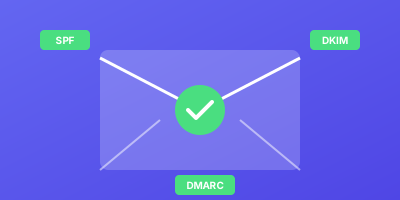
Poor email deliverability means your important messages end up in spam. Here's how to test and monitor your email authentication (SPF, DKIM, DMARC) to ensure inbox delivery.
Understanding Email Authentication
The Three Pillars
| Protocol | Purpose | What It Does |
|---|---|---|
| SPF | Sender authorization | Lists servers allowed to send email for your domain |
| DKIM | Message integrity | Cryptographically signs emails |
| DMARC | Policy enforcement | Tells receivers what to do with failed checks |
How They Work Together
text
Email sent from your domain
        ↓
Receiving server checks SPF → Pass/Fail
        ↓
Receiving server checks DKIM → Pass/Fail
        ↓
DMARC policy applied based on results
        ↓
Email delivered, quarantined, or rejected
Testing Your Configuration
Step 1: Check SPF Record
bash
# Query SPF record
dig TXT example.com | grep spf

# Or use nslookup
nslookup -type=txt example.com
Expected result:
text
v=spf1 include:_spf.google.com include:sendgrid.net -all
Step 2: Check DKIM Record
bash
# Replace 'selector' with your DKIM selector
dig TXT selector._domainkey.example.com
Finding your selector:
- Check email headers for
DKIM-Signature: ... s=selector - Common selectors:
google,default,s1,mandrill
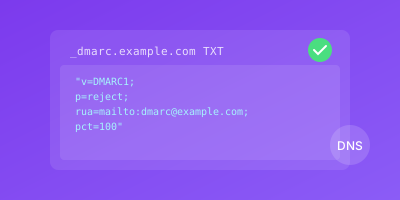
Step 3: Check DMARC Record
bash
dig TXT _dmarc.example.com
Expected result:
text
v=DMARC1; p=reject; rua=mailto:dmarc@example.com; ruf=mailto:dmarc@example.com; pct=100
Online Testing Tools
Comprehensive Tests
Send a test email to these services:
mail-tester.com:
- Visit mail-tester.com
- Copy the unique email address
- Send an email from your domain
- Get a score out of 10
MXToolbox:
- SPF Checker
- DKIM Validator
- DMARC Inspector
- Email health report
Authentication Headers Check
Send yourself an email and check headers:
Gmail:
- Open the email
- Click three dots → "Show original"
- Look for authentication results
text
ARC-Authentication-Results:
  dkim=pass header.d=example.com
  spf=pass smtp.mailfrom=example.com
  dmarc=pass action=none header.from=example.com
DMARC Reports Setup
Configure Report Recipients
dns
_dmarc.example.com. IN TXT "v=DMARC1; p=none; rua=mailto:dmarc-reports@example.com; ruf=mailto:dmarc-forensic@example.com"
Report Types
| Report | Purpose | Frequency |
|---|---|---|
| RUA (Aggregate) | Summary statistics | Daily |
| RUF (Forensic) | Individual failures | Real-time |
Analyzing Reports
DMARC reports are XML files. Use a parser:
python
import xml.etree.ElementTree as ET

def parse_dmarc_report(xml_file):
    tree = ET.parse(xml_file)
    root = tree.getroot()

    for record in root.findall('.//record'):
        source_ip = record.find('.//source_ip').text
        spf = record.find('.//spf').text
        dkim = record.find('.//dkim').text

        print(f"IP: {source_ip}, SPF: {spf}, DKIM: {dkim}")
Common Issues and Fixes
SPF Too Many Lookups
SPF has a 10 DNS lookup limit.
Fix:
text
# Use ip4/ip6 instead of includes where possible
v=spf1 ip4:192.168.1.0/24 include:_spf.google.com -all
DKIM Alignment Failure
Domain in DKIM signature doesn't match From domain.
Fix:
- Configure your email service to sign with your domain
- Check DKIM selector configuration
DMARC Not Enforcing
Starting with p=none is fine for monitoring, but escalate:
text
Week 1-4: p=none (monitor only)
Week 5-8: p=quarantine; pct=25
Week 9-12: p=quarantine; pct=100
Week 13+: p=reject
Monitoring Deliverability
Key Metrics to Track
| Metric | Target | Alert Threshold |
|---|---|---|
| Inbox rate | >95% | <90% |
| Bounce rate | <2% | >5% |
| Spam complaints | <0.1% | >0.3% |
| Authentication pass | 100% | <99% |
Set Up Continuous Monitoring
- DMARC report analysis - Daily automated parsing
- DNS record monitoring - Alert on changes
- Blacklist monitoring - Check spam blocklists
- Seed testing - Regular test emails to seed accounts
Email Deliverability Checklist
- SPF record configured and valid
- DKIM signing enabled
- DKIM record published
- DMARC record published
- DMARC reports configured
- Test email scored 9+/10
- Authentication passing in headers
- Not on any blacklists
- Monitoring configured
- Team trained on email practices
WizStatus monitors your SPF, DKIM, and DMARC records continuously. Get alerted instantly if authentication fails or records change unexpectedly.