Email blacklists (also called blocklists or DNSBLs) are databases of IPs and domains known to send spam. When you appear on these lists, your deliverability can plummet overnight.
Messages get rejected or routed to spam folders across millions of inboxes. The challenge is that blacklisting can happen for reasons outside your direct control.
What Are Email Blacklists?
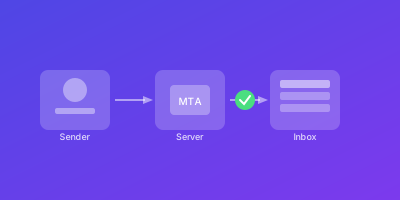
Email blacklists are real-time databases that mail servers query to filter incoming mail. When an email arrives, the server checks the sending IP against these lists.
How Blacklists Work
- Mail server receives incoming email
- Server queries one or more blacklists via DNS
- If the IP is listed, the server takes action
- Action may be rejection, spam flagging, or score increase
Types of Blacklists
IP-Based Blacklists: Track specific sending server IP addresses.
Domain-Based Blacklists: Block emails containing certain domains, regardless of sending server.
Major Blacklists
| Blacklist | Influence | Focus |
|---|---|---|
| Spamhaus SBL | Very High | Spam sources |
| Spamhaus XBL | Very High | Exploited systems |
| Spamhaus PBL | Very High | Dynamic IPs |
| Barracuda BRBL | High | Enterprise filtering |
| SpamCop | Medium | User-reported spam |
| SORBS | Medium | Various categories |
| URIBL | Medium | Malicious URLs |
Why Blacklist Monitoring is Essential
The impact of blacklisting is immediate and severe.
Immediate Delivery Impact
Depending on which list you appear on:
- Bounce rates can spike to 30-50% or higher
- Password reset emails may never reach customers
- Order confirmations disappear
- Support communications fail
Silent Problem
Blacklisting often happens without notice:
- No alerts from your email provider
- Customers complain about missing emails
- Engagement metrics suddenly drop
- You discover the problem days later
Common Causes
- Compromised email accounts sending spam
- Poor list hygiene with high bounce rates
- Sending to spam traps
- Sudden volume increases triggering abuse alerts
- Sharing infrastructure with bad actors
How to Monitor Email Blacklists
Effective monitoring requires checking multiple blocklists regularly.
Manual Checking
Use services like MXToolbox to query multiple lists:
# Check IP against multiple blacklists
# Visit: mxtoolbox.com/blacklists.aspx
# Enter your IP: 192.0.2.1
Limitations:
- Doesn't scale for multiple IPs
- Won't catch problems quickly
- Requires manual effort
Automated Monitoring
Set up automated checks at scheduled intervals:
- Check every hour for critical infrastructure
- Alert immediately when listing detected
- Track history for pattern identification
Key Monitoring Metrics
| Metric | Description |
|---|---|
| Current Status | Listed or not on each blacklist |
| Time to Detection | How quickly you're alerted |
| Listing History | Patterns indicating recurring issues |
| Reputation Scores | Sender Score, Postmaster Tools |
Understanding Listing Context
When a listing is detected, gather context:
- Which specific list flagged you?
- What's the likely reason?
- What's the delisting process?
- What's the typical delisting timeline?
Blacklist Prevention Best Practices
Prevention is always better than remediation.
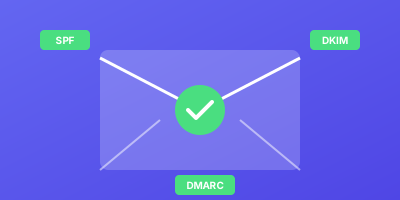
Implement Strong Authentication
# SPF - authorize your senders
v=spf1 include:_spf.google.com -all

# DKIM - sign your messages
selector._domainkey IN TXT "v=DKIM1; k=rsa; p=..."

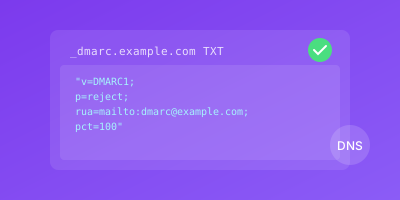
# DMARC - enforce and monitor
_dmarc IN TXT "v=DMARC1; p=reject; rua=mailto:..."
Maintain Clean Lists
- Remove bounced addresses immediately
- Never purchase email lists
- Implement double opt-in for subscribers
- Regularly purge unengaged contacts
Monitor Sending Patterns
Sudden spikes trigger abuse detection:
- Increase volume gradually
- Warm up new IPs over 4-6 weeks
- Maintain consistent sending patterns
Secure Your Infrastructure
- Use strong authentication for email accounts
- Monitor for unusual sending patterns
- Implement rate limiting
- Contain damage quickly if compromised
Delisting Procedures
When blacklisted, act quickly but carefully.
Step 1: Identify Root Cause
Common root causes:
- Compromised account sending spam
- Bad list segment with spam traps
- Misconfigured server as open relay
- Legitimate mail flagged by users
Step 2: Research Delisting Process
Each blacklist has different procedures:
| Blacklist | Delisting Method |
|---|---|
| Spamhaus | Manual request via website |
| SpamCop | Automatic after 24 hours good behavior |
| Barracuda | Manual request with explanation |
| SORBS | Manual request, may require fee |
Step 3: Submit Delisting Request
Prepare your request:
- Identify yourself clearly
- Explain what caused the listing
- Describe corrective actions taken
- Commit to prevention measures
Step 4: Document the Incident
Record details for future reference:
## Blacklist Incident Report

**Date:** 2025-01-15
**Blacklist:** Spamhaus SBL
**Affected IP:** 192.0.2.1

**Cause:** Compromised account sent 5000 spam messages

**Actions Taken:**
- Disabled compromised account
- Reset all related credentials
- Implemented MFA
- Submitted delisting request

**Resolution Date:** 2025-01-16
**Time Listed:** 18 hours

**Prevention Measures:**
- MFA mandatory for all accounts
- Rate limiting implemented
- Anomaly detection alerts configured
Conclusion
Blacklist monitoring is critical for email operations. It directly impacts your ability to communicate with customers and stakeholders.
By implementing automated monitoring, maintaining good practices, and having clear delisting procedures, you protect your sender reputation.
Key takeaways:
- Monitor proactively, don't wait for complaints
- Prevention is easier than remediation
- Fix root causes before requesting delisting
- Document incidents for pattern identification
Use each incident as an opportunity to strengthen your email security.
Related Guides
- Email Reputation Monitoring — Track sender scores before blacklisting occurs
- Cold Email Deliverability Tips — Avoid spam traps and practices that lead to blacklisting
- SPF Record Setup Guide — Proper SPF configuration helps prevent unauthorized use of your domain
- Multi-Location Monitoring — Verify your email deliverability from multiple geographic regions