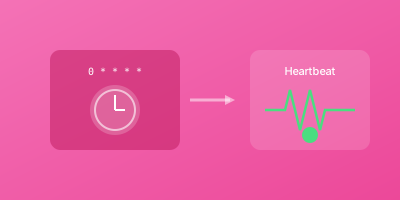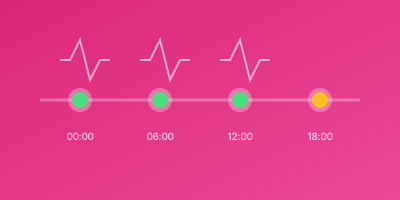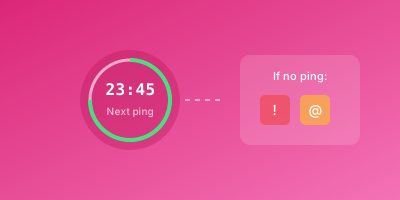
Laravel's task scheduler provides elegant cron management, but scheduled tasks can still fail silently. Here's how to set up reliable monitoring for your Laravel scheduled commands.
The Laravel Scheduler
Laravel's scheduler is configured in app/Console/Kernel.php:
php
protected function schedule(Schedule $schedule)
{
    $schedule->command('reports:generate')->daily();
    $schedule->command('backup:run')->dailyAt('02:00');
    $schedule->job(new ProcessPendingOrders)->everyFiveMinutes();
}
This runs via a single cron entry:
cron
* * * * * cd /path-to-project && php artisan schedule:run >> /dev/null 2>&1
Why Monitor Laravel Tasks?
Even with Laravel's scheduler, tasks can fail:
- PHP errors in your command code
- Memory exhaustion during processing
- Database connection issues
- External API failures
- Cron daemon not running
- Scheduler itself not being called
Built-in Monitoring Methods
Using pingBefore and thenPing
Laravel 8+ includes ping callbacks:
php
$schedule->command('backup:run')
    ->daily()
    ->pingBefore('https://wizstatus.com/ping/TOKEN/start')
    ->thenPing('https://wizstatus.com/ping/TOKEN');
pingBefore()- Pings when job startsthenPing()- Pings when job completes successfullypingOnSuccess()- Pings only on successpingOnFailure()- Pings only on failure
Ping Only on Success
php
$schedule->command('reports:generate')
    ->daily()
    ->pingOnSuccess('https://wizstatus.com/ping/reports-success');
Different URLs for Success/Failure
php
$schedule->command('critical:process')
    ->hourly()
    ->pingOnSuccess('https://wizstatus.com/ping/critical-success')
    ->pingOnFailure('https://wizstatus.com/ping/critical-failed');
Setting Up Heartbeat Monitors
Step 1: Create a Monitor per Task
For each scheduled task:
- Create heartbeat monitor named after the task
- Set schedule matching Laravel config
- Set appropriate grace period
Step 2: Add Pings to Schedule
php
protected function schedule(Schedule $schedule)
{
    // Daily backup
    $schedule->command('backup:run')
        ->dailyAt('02:00')
        ->pingOnSuccess(env('PING_BACKUP'));

    // Hourly reports
    $schedule->command('reports:hourly')
        ->hourly()
        ->pingOnSuccess(env('PING_REPORTS_HOURLY'));

    // Queue worker health check
    $schedule->call(function () {
        // Check queue is processing
        if (Queue::size() < 1000) {
            Http::get(env('PING_QUEUE_HEALTH'));
        }
    })->everyFiveMinutes();
}
Step 3: Store Ping URLs Securely
Add to .env:
env
PING_BACKUP=https://wizstatus.com/ping/backup-token
PING_REPORTS_HOURLY=https://wizstatus.com/ping/reports-token
PING_QUEUE_HEALTH=https://wizstatus.com/ping/queue-token
Monitoring Specific Task Types
Artisan Commands
php
$schedule->command('emails:send-newsletter')
    ->weeklyOn(1, '8:00')  // Monday at 8 AM
    ->pingOnSuccess(env('PING_NEWSLETTER'));
Jobs
php
$schedule->job(new ProcessDailyAnalytics)
    ->dailyAt('06:00')
    ->pingOnSuccess(env('PING_ANALYTICS'));
Closures
php
$schedule->call(function () {
    $count = Order::pending()->process();
    Log::info("Processed {$count} orders");
})->everyMinute()
  ->pingOnSuccess(env('PING_ORDERS'));
Shell Commands
php
$schedule->exec('node /path/to/script.js')
    ->daily()
    ->pingOnSuccess(env('PING_NODE_SCRIPT'));
Handling Long-Running Tasks
With Output
php
$schedule->command('import:large-file')
    ->daily()
    ->runInBackground()
    ->pingBefore(env('PING_IMPORT_START'))
    ->pingOnSuccess(env('PING_IMPORT_COMPLETE'))
    ->sendOutputTo(storage_path('logs/import.log'));
With Timeout
php
$schedule->command('process:heavy')
    ->daily()
    ->withoutOverlapping()
    ->runInBackground()
    ->pingOnSuccess(env('PING_HEAVY'));
Monitoring the Scheduler Itself
Ensure the scheduler is being called:
php
// In Kernel.php - add a scheduler health check
$schedule->call(function () {
    // This runs every minute to confirm scheduler is alive
})->everyMinute()
  ->pingOnSuccess(env('PING_SCHEDULER_ALIVE'));
Set monitor:
- Schedule: Every minute
- Grace period: 3 minutes
Custom Monitoring Logic
Conditional Pinging
php
$schedule->call(function () {
    $result = processData();

    if ($result->recordsProcessed > 0) {
        Http::get(env('PING_DATA_PROCESSED'));
    } else {
        // Maybe alert - no records is suspicious
        Log::warning('No records processed');
    }
})->hourly();
With Metrics
php
$schedule->call(function () {
    $start = microtime(true);
    $count = runProcess();
    $duration = round(microtime(true) - $start);

    Http::get(env('PING_URL'), [
        'query' => [
            'records' => $count,
            'duration' => $duration
        ]
    ]);
})->daily();
Environment-Specific Monitoring
php
if (app()->environment('production')) {
    $schedule->command('backup:run')
        ->daily()
        ->pingOnSuccess(env('PING_BACKUP'));
}
Or use different tokens:
env
# .env.production
PING_BACKUP=https://wizstatus.com/ping/prod-backup

# .env.staging
PING_BACKUP=https://wizstatus.com/ping/staging-backup
Troubleshooting
Pings Not Arriving
Check Laravel can make HTTP requests:
bash
php artisan tinker
>>> Http::get('https://wizstatus.com/ping/test')->status();
# Should return 200
Job Runs But Ping Fails
Add error handling:
php
$schedule->command('task')
    ->daily()
    ->after(function () {
        try {
            Http::timeout(30)->retry(3)->get(env('PING_URL'));
        } catch (\Exception $e) {
            Log::error('Ping failed: ' . $e->getMessage());
        }
    });
Scheduler Not Running
Verify cron entry:
bash
crontab -l | grep artisan
Check cron logs:
bash
grep CRON /var/log/syslog | grep artisan
Best Practices
- One monitor per task - Don't combine multiple tasks
- Match schedules exactly - Monitor schedule = Laravel schedule
- Use env for URLs - Keep tokens out of code
- Ping on success only - Let failures trigger alerts via absence
- Test in staging - Verify pings work before production
- Document tasks - Keep a list of what's monitored
Monitoring Checklist
- All critical scheduled tasks have monitors
- Monitor schedules match Laravel schedules
- Grace periods account for job duration
- Ping URLs stored in environment variables
- Tested on staging environment
- Scheduler health check configured
- Alert channels set up appropriately
Never let a Laravel scheduled task fail silently. Set up heartbeat monitoring with WizStatus and get alerts when your artisan commands don't complete on time.