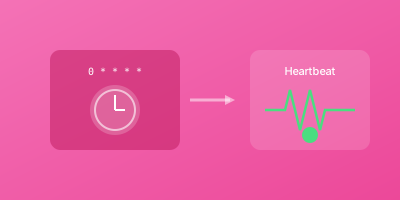
Traditional uptime monitoring checks if services are available. Heartbeat monitoring does the opposite: it waits for your jobs to check in. If they don't, something is wrong. This guide covers everything about monitoring scheduled tasks and background processes.
What is Heartbeat Monitoring?
Heartbeat monitoring (also called dead man's switch or cron monitoring) works differently from traditional monitoring:
Traditional monitoring: "Let me check if your service is up" Heartbeat monitoring: "Tell me when you've completed your job"
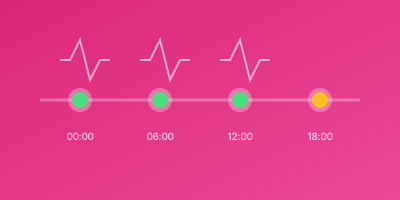
Your scheduled task sends a "ping" to the monitoring service after successful completion. If the ping doesn't arrive within the expected timeframe, you get alerted.
How It Works
1. Configure expected schedule (e.g., "every hour")
2. Set grace period (e.g., "allow 5 minutes late")
3. Add ping URL to your job
4. Job runs and pings on success
5. If ping doesn't arrive → Alert
Why Traditional Monitoring Fails for Scheduled Tasks
You can't monitor a cron job with HTTP checks because:
- Cron jobs aren't web services - There's no endpoint to check
- They run intermittently - Not continuously available
- Failures are silent - No error page to detect
- They might "succeed" but produce wrong results
A backup job might crash silently. A data sync might fail to start. An email queue processor might hang. Without heartbeat monitoring, you won't know until it's too late.
Common Use Cases
Backup Verification
Your database backup runs every night at 2 AM. Is it actually running?
#!/bin/bash
# backup.sh
pg_dump mydb > backup.sql
if [ $? -eq 0 ]; then
  curl -fsS --retry 3 https://wizstatus.com/ping/your-token
fi
If the backup fails or never runs, you'll know.
Scheduled Data Processing
ETL jobs, report generation, data synchronization:
def daily_report():
    generate_report()
    send_report()
    # Signal successful completion
    requests.get("https://wizstatus.com/ping/your-token")
Queue Worker Health
Ensure your background workers are processing jobs:
// Process jobs and ping after each batch
async function processQueue() {
  await processBatch();
  await fetch('https://wizstatus.com/ping/your-token');
}
Scheduled Maintenance Tasks
Cache clearing, log rotation, cleanup scripts:
# cleanup.sh
find /tmp -type f -mtime +7 -delete
curl https://wizstatus.com/ping/your-token
Setting Up Heartbeat Monitoring
Step 1: Create a Heartbeat Monitor
- Log into your monitoring dashboard
- Create new monitor → Select "Heartbeat" type
- Name it descriptively (e.g., "Database Backup - Production")
- Configure schedule
Step 2: Define Expected Schedule
Common schedule options:
| Schedule | Use Case |
|---|---|
| Every 1 minute | Queue processors, real-time sync |
| Every 5 minutes | Frequent batch jobs |
| Every hour | Hourly reports, cache refresh |
| Every day | Daily backups, reports |
| Custom cron | Specific schedules |
Step 3: Set Grace Period
The grace period determines how late a ping can be before alerting. Set it based on:
- Job's typical duration
- Acceptable delay tolerance
- Network latency buffer
Example: Job runs at 2:00 AM and takes up to 30 minutes. Set grace period to 45 minutes.
Step 4: Add Ping to Your Job
Add a simple HTTP request at the end of successful execution:
# Using curl
curl -fsS --retry 3 https://wizstatus.com/ping/your-token

# Using wget
wget -q --spider https://wizstatus.com/ping/your-token
Important: Only ping on successful completion, not at the start.
Best Practices
Ping Only on Success
try:
    do_important_work()
    # Only ping if work completed successfully
    requests.get(PING_URL)
except Exception as e:
    log_error(e)
    # Don't ping - let the timeout trigger an alert
Handle Network Failures
The ping itself might fail. Use retries:
curl -fsS --retry 3 --retry-delay 5 $PING_URL
Use Descriptive Names
Bad: "Cron Job 1" Good: "Daily Database Backup - Production PostgreSQL"
Set Appropriate Grace Periods
- Too short: False alarms from slow jobs
- Too long: Delayed detection of real failures
Monitor the Monitoring
If your job runs but the ping fails, you'll get false alerts. Consider:
- Retrying pings
- Logging ping status
- Alerting on repeated ping failures
Advanced Patterns
Start and End Pings
Some systems support tracking job duration:
# Signal job started
curl https://wizstatus.com/ping/your-token/start

# Do the work
./run-backup.sh

# Signal job completed
curl https://wizstatus.com/ping/your-token
This catches jobs that start but hang.
Exit Code Reporting
Send the exit code for detailed tracking:
./my-script.sh
EXIT_CODE=$?
curl "https://wizstatus.com/ping/your-token?exit_code=$EXIT_CODE"
Conditional Pinging
Only ping under certain conditions:
if records_processed > 0:
    requests.get(PING_URL)
else:
    # Something might be wrong if no records
    notify_team("Zero records processed - investigate")
Integrating with Different Systems
Cron (Linux)
0 2 * * * /path/to/backup.sh && curl -fsS https://wizstatus.com/ping/token
Task Scheduler (Windows)
Create a batch wrapper:
@echo off
call your-script.bat
if %ERRORLEVEL%==0 (
  curl https://wizstatus.com/ping/your-token
)
Docker Containers
CMD ["sh", "-c", "./run-job.sh && curl https://ping-url"]
Kubernetes CronJobs
apiVersion: batch/v1
kind: CronJob
spec:
  schedule: "0 2 * * *"
  jobTemplate:
    spec:
      containers:
      - name: backup
        command:
        - /bin/sh
        - -c
        - "./backup.sh && curl https://wizstatus.com/ping/token"
CI/CD Pipelines
GitHub Actions:
- name: Notify completion
  if: success()
  run: curl https://wizstatus.com/ping/token
Serverless Functions
AWS Lambda:
def handler(event, context):
    process_data()
    requests.get(PING_URL)
    return {"statusCode": 200}
Troubleshooting
False Alarms
Causes:
- Job taking longer than grace period
- Network issues preventing ping delivery
- Clock skew between systems
Solutions:
- Increase grace period
- Add ping retries
- Check system time synchronization
Missed Actual Failures
Causes:
- Ping sent before job truly completes
- Job partially completes then fails
- Wrong success criteria
Solutions:
- Ping at true end of job
- Use start/end pings for long jobs
- Validate job output before pinging
Heartbeat Monitoring Checklist
- Identified all scheduled jobs needing monitoring
- Created heartbeat monitors with descriptive names
- Set schedules matching job frequency
- Configured appropriate grace periods
- Added ping calls to jobs (only on success)
- Implemented ping retries for network resilience
- Tested alert flow end-to-end
- Documented monitor configurations
Conclusion
Heartbeat monitoring catches the silent failures that traditional monitoring misses. Any job that runs on a schedule - backups, reports, sync processes, cleanup tasks - should have heartbeat monitoring.
The principle is simple: if your job doesn't check in on time, something is wrong. This early warning prevents cascading failures and data loss.