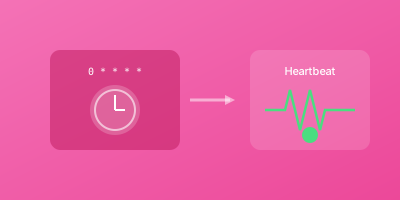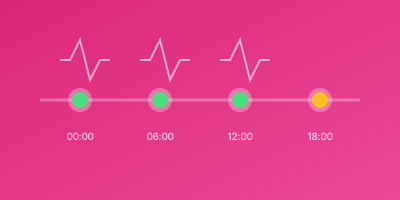
A dead man's switch is a mechanism that triggers when an expected signal stops. In monitoring, it means: "If you don't hear from me, something is wrong." This pattern is essential for critical jobs that must never fail silently.
What is a Dead Man's Switch?
The term comes from safety mechanisms in trains and machinery. If the operator becomes incapacitated, the switch triggers because they stop actively holding it.
In software monitoring:
Traditional check: "Are you alive?" Dead man's switch: "Check in regularly, or I'll assume you're dead."
The system expects regular check-ins. Silence indicates failure.
When to Use Dead Man's Switch
Critical Scheduled Jobs
Jobs where failure has serious consequences:
- Financial processing - Payments, reconciliation
- Data backups - Database, file system
- Compliance reports - Regulatory submissions
- Security scans - Vulnerability assessments
Always-Running Services
Processes that should never stop:
- Queue workers
- Stream processors
- Daemon processes
- Background services
Remote Systems
Systems without direct monitoring access:
- IoT devices
- Edge computing nodes
- Air-gapped systems
- Customer-deployed software
Implementing Dead Man's Switch
Basic Implementation
import requests
import schedule

def heartbeat():
    requests.get("https://monitor.example.com/ping/token")

def critical_job():
    # Do important work
    process_payments()

    # Signal completion
    heartbeat()

# Run every 5 minutes
schedule.every(5).minutes.do(critical_job)
With Failure Handling
def critical_job():
    try:
        process_payments()
        heartbeat()  # Only ping on success
    except Exception as e:
        log_error(e)
        # Don't ping - let the switch trigger
        raise
For Continuous Processes
while True:
    try:
        item = queue.get()
        process(item)

        # Ping periodically, not per-item
        if should_ping():
            heartbeat()
    except Exception as e:
        handle_error(e)
        # Continue processing, but stop pinging if errors persist
Configuration Guidelines
Check Frequency
How often should the job ping?
| Job Frequency | Ping Frequency |
|---|---|
| Every minute | Every minute |
| Every 5 minutes | Every 5 minutes |
| Hourly | Hourly |
| Daily | Daily |
| Weekly | Weekly |
Grace Period
How long to wait before alerting?
Formula: Expected duration + buffer + network latency
Examples:
- 1-minute job → 3 minute grace
- 5-minute job → 10 minute grace
- 30-minute job → 45 minute grace
- 2-hour job → 2.5 hour grace
Advanced Patterns
Tiered Alerting
Different severity based on silence duration:
5 min silence  → Warning to team
15 min silence → Page on-call
30 min silence → Escalate to manager
Parallel Redundancy
For ultra-critical systems, use multiple monitoring services:
def heartbeat():
    # Ping multiple services
    requests.get(PRIMARY_PING_URL)
    requests.get(SECONDARY_PING_URL)
State Reporting
Send status information with each ping:
def heartbeat():
    requests.get(PING_URL, params={
        "records_processed": count,
        "duration_ms": elapsed,
        "status": "success"
    })
Real-World Scenarios
Scenario 1: Backup System
Requirement: Daily database backup must complete
Setup:
- Cron job runs at 2 AM
- Expected duration: 45 minutes
- Grace period: 90 minutes
- Alert: SMS + Phone call
Implementation:
#!/bin/bash
pg_dump production | gzip > backup.sql.gz

if [ $? -eq 0 ] && [ -s backup.sql.gz ]; then
  curl https://wizstatus.com/ping/backup-token
fi
Scenario 2: Payment Processor
Requirement: Process pending payments every 5 minutes
Setup:
- Runs continuously
- Pings every 5 minutes if processing
- Grace period: 10 minutes
- Alert: PagerDuty integration
Implementation:
last_ping = 0

while True:
    payment = get_next_payment()
    if payment:
        process(payment)

    if time.time() - last_ping > 300:
        ping()
        last_ping = time.time()
Scenario 3: Remote Device
Requirement: IoT device must check in hourly
Setup:
- Device pings every hour
- Grace period: 90 minutes
- Alert: Field service notification
Implementation:
void loop() {
  collect_data();
  send_data();

  if (should_heartbeat()) {
    http_get(PING_URL);
  }

  sleep(3600);
}
Troubleshooting
False Alarms
Symptom: Alerts when job actually ran
Causes:
- Grace period too short
- Network issues blocking ping
- Clock skew between systems
Solutions:
- Extend grace period
- Add ping retries
- Synchronize system clocks
Missed Failures
Symptom: Job failed but no alert
Causes:
- Ping sent before job truly completed
- Job partially succeeded
- Ping sent regardless of outcome
Solutions:
- Ping only at true completion
- Validate output before pinging
- Review ping logic
Too Many Alerts
Symptom: Alert fatigue from frequent pages
Causes:
- Over-monitoring
- Incorrect schedules
- Unstable jobs
Solutions:
- Only monitor truly critical jobs
- Fix flaky jobs
- Use warning vs critical thresholds
Best Practices
1. Ping Only on Success
Never ping when the job fails. The absence of a ping is the signal.
2. Use Retries for Pings
curl --retry 3 --retry-delay 5 $PING_URL
3. Include Context
If your monitoring supports it, send useful data:
?status=ok&duration=45&records=1000
4. Test the Full Flow
Regularly verify:
- Job runs successfully → ping received → no alert
- Job fails → no ping → alert triggered
- Alert reaches the right people
5. Document Everything
Maintain documentation of:
- What each monitor watches
- Expected schedule and grace period
- Who gets alerted
- Response procedures
Conclusion
Dead man's switch monitoring is the safety net for your critical jobs. When active monitoring fails (because the service is down), passive monitoring catches the silence.
For any job where failure has consequences, implement a dead man's switch. The cost of setup is minutes; the cost of silent failure is hours of downtime and data loss.