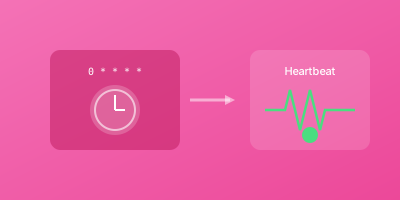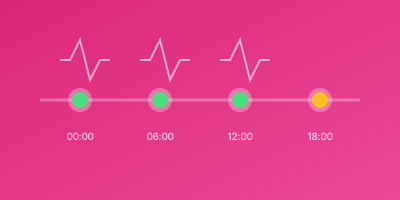
GitHub Actions can run on schedules using cron syntax. But scheduled workflows can fail silently without notification. Here's how to monitor your GitHub Actions workflows and get alerted when they don't complete.
Scheduled GitHub Actions
Workflows can be triggered on a schedule:
name: Daily Data Sync
on:
  schedule:
    - cron: '0 2 * * *'  # Daily at 2 AM UTC

jobs:
  sync:
    runs-on: ubuntu-latest
    steps:
      - uses: actions/checkout@v4
      - run: ./sync-data.sh
Why Monitor GitHub Actions?
Scheduled workflows can fail because:
- Repository access issues - Token expired, permissions changed
- Runner unavailable - GitHub outages, resource limits
- Workflow errors - Syntax errors, failed steps
- Schedule not triggered - GitHub sometimes skips schedules
- Silent failures - Job fails but nobody notices
Method 1: Final Step Ping
Add a ping step at the end of your workflow:
name: Daily Backup
on:
  schedule:
    - cron: '0 2 * * *'

jobs:
  backup:
    runs-on: ubuntu-latest
    steps:
      - uses: actions/checkout@v4

      - name: Run backup
        run: ./backup.sh

      - name: Notify monitoring
        if: success()
        run: curl -fsS https://wizstatus.com/ping/${{ secrets.PING_TOKEN }}
The if: success() ensures the ping only runs when all previous steps succeed.
Method 2: Dedicated Monitoring Step
More explicit and readable:
jobs:
  backup:
    runs-on: ubuntu-latest
    steps:
      - uses: actions/checkout@v4
      - name: Run backup
        run: ./backup.sh

  notify:
    needs: backup
    runs-on: ubuntu-latest
    if: success()
    steps:
      - name: Ping monitoring
        run: |
          curl -fsS --retry 3 \
            "https://wizstatus.com/ping/${{ secrets.PING_TOKEN }}"
Method 3: GitHub Action for Monitoring
Use a reusable action:
- name: Heartbeat ping
  uses: distributhor/workflow-webhook@v3
  if: success()
  env:
    webhook_url: ${{ secrets.PING_URL }}
    webhook_type: 'curl'
Setting Up Secrets
Store ping URLs securely:
- Go to repository Settings → Secrets and variables → Actions
- Add new secret:
PING_TOKENorPING_URL - Reference in workflow:
${{ secrets.PING_TOKEN }}
Configuring Heartbeat Monitors
For each scheduled workflow:
Example: Daily Backup at 2 AM UTC
- Monitor name: GitHub Actions - Daily Backup
- Schedule: Daily at 02:00 UTC
- Grace period: 30-60 minutes (allow for queue delays)
Example: Hourly Data Sync
- Monitor name: GitHub Actions - Hourly Sync
- Schedule: Every hour
- Grace period: 20 minutes
Monitoring Multiple Workflows
Separate Monitors
Each workflow gets its own monitor and token:
# .github/workflows/backup.yml
- run: curl https://wizstatus.com/ping/${{ secrets.PING_BACKUP }}

# .github/workflows/sync.yml
- run: curl https://wizstatus.com/ping/${{ secrets.PING_SYNC }}

# .github/workflows/cleanup.yml
- run: curl https://wizstatus.com/ping/${{ secrets.PING_CLEANUP }}
Matrix Jobs
For matrix builds, ping after all matrix jobs complete:
jobs:
  test:
    strategy:
      matrix:
        node: [16, 18, 20]
    steps:
      - run: npm test

  notify:
    needs: test
    if: success()
    runs-on: ubuntu-latest
    steps:
      - run: curl https://wizstatus.com/ping/${{ secrets.PING_TESTS }}
Handling Job Failures
Ping on Both Success and Failure
- name: Notify success
  if: success()
  run: curl https://wizstatus.com/ping/${{ secrets.PING_SUCCESS }}

- name: Notify failure
  if: failure()
  run: curl https://wizstatus.com/ping/${{ secrets.PING_FAILURE }}
Always Ping with Status
- name: Notify status
  if: always()
  run: |
    STATUS="${{ job.status }}"
    curl "https://wizstatus.com/ping/${{ secrets.PING_TOKEN }}?status=$STATUS"
Workflow Run Information
Include workflow details in the ping:
- name: Notify with details
  if: success()
  run: |
    curl "https://wizstatus.com/ping/${{ secrets.PING_TOKEN }}" \
      -d "workflow=${{ github.workflow }}" \
      -d "run_id=${{ github.run_id }}" \
      -d "sha=${{ github.sha }}"
Reusable Workflow
Create a reusable monitoring workflow:
# .github/workflows/notify-monitoring.yml
name: Notify Monitoring

on:
  workflow_call:
    inputs:
      ping_token:
        required: true
        type: string

jobs:
  notify:
    runs-on: ubuntu-latest
    steps:
      - name: Send heartbeat
        run: |
          curl -fsS --retry 3 \
            "https://wizstatus.com/ping/${{ inputs.ping_token }}"
Use in other workflows:
jobs:
  backup:
    # ... backup steps

  notify:
    needs: backup
    if: success()
    uses: ./.github/workflows/notify-monitoring.yml
    with:
      ping_token: ${{ secrets.PING_BACKUP }}
Troubleshooting
Workflow Not Triggered
- Check cron syntax (uses UTC)
- Verify workflow file is valid YAML
- Check repository has activity in last 60 days (GitHub disables schedules on inactive repos)
Ping Step Fails
- Verify secret is set correctly
- Check network connectivity from GitHub runners
- Add retry logic:
curl --retry 3
Schedule Delays
GitHub Actions schedules are best-effort. During high load:
- Jobs may be delayed 15-30 minutes
- Set grace period accordingly
- Consider using external schedulers for critical timing
Best Practices
- Use secrets - Never hardcode ping URLs
- Retry pings - Network issues happen
- Match timezones - GitHub uses UTC
- Set generous grace periods - Account for GitHub's queue delays
- Monitor workflow_dispatch too - If manually triggered workflows are critical
- Keep workflows active - Push occasionally to prevent schedule disabling
Example: Complete Monitored Workflow
name: Daily ETL Pipeline

on:
  schedule:
    - cron: '0 4 * * *'  # 4 AM UTC daily
  workflow_dispatch:  # Allow manual trigger

env:
  PING_URL: https://wizstatus.com/ping

jobs:
  extract:
    runs-on: ubuntu-latest
    steps:
      - uses: actions/checkout@v4
      - name: Extract data
        run: ./extract.sh

  transform:
    needs: extract
    runs-on: ubuntu-latest
    steps:
      - name: Transform data
        run: ./transform.sh

  load:
    needs: transform
    runs-on: ubuntu-latest
    steps:
      - name: Load data
        run: ./load.sh

  notify:
    needs: [extract, transform, load]
    runs-on: ubuntu-latest
    if: success()
    steps:
      - name: Notify pipeline complete
        run: |
          curl -fsS --retry 3 \
            "${{ env.PING_URL }}/${{ secrets.PING_ETL }}"