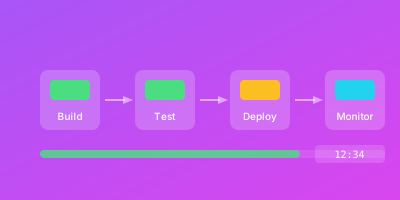
Your CI/CD pipeline is the factory floor of software production. Just as manufacturing plants monitor production lines for efficiency and quality, engineering organizations must monitor their deployment pipelines.
Pipeline problems directly impact developer productivity, deployment frequency, and time to market.
What is CI/CD Pipeline Monitoring?
CI/CD pipeline monitoring is the practice of collecting, analyzing, and acting on data about your software delivery processes. It encompasses continuous integration, continuous delivery, and continuous deployment.
Monitoring Dimensions
Pipeline monitoring tracks multiple dimensions:
| Dimension | What to Measure |
|---|---|
| Speed | How long do pipelines take to complete? |
| Reliability | What percentage of runs succeed? |
| Quality | What do automated checks reveal? |
| Throughput | How many changes flow through? |
Event-Driven Nature
Unlike application monitoring that observes continuous behavior, pipeline monitoring handles:
- Intermittent runs triggered by code changes
- Discrete outcomes (success/failure)
- Variable activity levels
- Time-bounded processes
Developer Experience
Effective pipeline monitoring extends to developer workflow:
- Queue times
- Feedback latency
- Flaky test rates
These dimensions directly impact developer productivity and satisfaction.
Why CI/CD Pipeline Monitoring Matters
Pipeline health directly impacts every aspect of software delivery.
Business Impact
Research from the DORA program shows deployment frequency gaps:
| Performance Level | Deployment Frequency |
|---|---|
| Elite | Multiple times per day |
| High | Weekly to monthly |
| Medium | Monthly to semi-annually |
| Low | Less than monthly |
Developer Productivity
Developers spend significant time waiting for builds and tests. Unreliable pipelines cause additional damage through context-switching:
pipeline_impact:
  slow_builds:
    wait_time: 15_minutes
    impact: "Developer context switch"

  unreliable_builds:
    false_failure_rate: 10%
    impact: "Investigation time + frustration"

  improvement_opportunity:
    speed_gain: 50%
    reliability_gain: 5%
    productivity_impact: "Significant across all developers"
Deployment Safety
Pipeline visibility ensures safe deployments:
- Distinguish transient infrastructure issues from systematic problems
- Confirm changes behave as expected post-deployment
- Detect problems before user reports
Cost Optimization
Cloud-based CI/CD bills based on compute time. Inefficient pipelines waste money:
cost_analysis:
  current_spend: "$10,000/month"
  inefficiencies:
    - redundant_builds: 30%
    - missing_cache: 25%
    - oversized_runners: 20%
  potential_savings: "$5,000/month"
How to Implement CI/CD Pipeline Monitoring
Comprehensive monitoring requires instrumentation across all pipeline stages.
Step 1: Instrument Pipeline Execution
Capture execution data from your CI/CD platform:
pipeline_metrics:
  timing:
    - pipeline_start_time
    - pipeline_end_time
    - stage_durations
  outcomes:
    - success_or_failure
    - failure_reason
    - exit_codes
  resources:
    - cpu_time
    - memory_peak
    - network_transfer
Most platforms provide APIs or webhooks for this data.
Step 2: Monitor Quality Gates
Track findings from automated checks:
quality_metrics:
  code_coverage:
    current: 78%
    trend: increasing
    threshold: 75%

  static_analysis:
    issues_found: 12
    severity: [3_high, 5_medium, 4_low]
    trend: stable

  security_scan:
    vulnerabilities: 2
    severity: [0_critical, 1_high, 1_medium]
Alert when quality metrics fall below thresholds.
Step 3: Track Queue Metrics
Understand developer wait times:
# Queue time before pipeline starts
pipeline_queue_duration_seconds{status="waiting"}

# Queue depth
count(pipeline_runs{status="queued"})
Long queues indicate insufficient capacity.
Step 4: Instrument Deployment Activities
Record deployment-specific metrics:
deployment_metrics:
  - deployment_duration_seconds
  - rollback_frequency
  - deployment_success_rate
  - staging_wait_time
  - environment: [staging, production]
Step 5: Connect to Application Monitoring
Create deployment markers for correlation:
# Deployment annotation in Grafana
annotation:
  dashboards: ["service-overview"]
  time: "2026-01-12T10:00:00Z"
  title: "Deployment v2.3.1"
  tags: ["deployment", "api-service"]
  text: |
    Commit: abc123
    Pipeline: #1234
    Duration: 8m 30s
When incidents occur, pipeline data helps determine if recent deployments are responsible.
Step 6: Build Audience-Specific Dashboards
Different audiences need different views:
dashboards:
  developer_view:
    focus: "Current status, recent failures"
    panels:
      - my_recent_builds
      - failed_tests
      - queue_position

  team_lead_view:
    focus: "Throughput and reliability trends"
    panels:
      - deployment_frequency
      - failure_rate_trend
      - mean_lead_time

  leadership_view:
    focus: "Organizational delivery capability"
    panels:
      - dora_metrics
      - deployment_frequency_trend
      - change_failure_rate
CI/CD Pipeline Monitoring Best Practices
Organizations with excellent pipeline observability follow proven practices.
Establish Baselines and Set Targets
Measure current state and set improvement goals:
baseline_metrics:
  average_build_time: 15m
  success_rate: 85%
  deployment_frequency: "3x per day"
  lead_time: "2 days"

improvement_targets:
  average_build_time: 10m  # -33%
  success_rate: 95%  # +10%
  deployment_frequency: "5x per day"
  lead_time: "1 day"
Track progress and celebrate achievements.
Monitor the Four DORA Metrics
These metrics correlate strongly with organizational performance:
| Metric | What It Measures |
|---|---|
| Deployment Frequency | How often you deploy to production |
| Lead Time for Changes | Time from commit to production |
| Change Failure Rate | Percentage of deployments causing failures |
| Mean Time to Recovery | How quickly you recover from failures |
# Deployment frequency (weekly)
count(deployments{env="production"}[7d])

# Lead time (median)
histogram_quantile(0.5, sum(rate(lead_time_seconds_bucket[30d])) by (le))
Alert on Reliability, Not Individual Failures
Individual build failures are often transient:
# Good: Alert on patterns
alert:
  name: PipelineReliabilityDegraded
  condition: "failure_rate > 20% over 1 hour"
  severity: warning

# Avoid: Alert on every failure
# alert:
#   name: BuildFailed
#   condition: "any build fails"
#   # Creates noise, ignores transient issues
Track Flaky Tests Separately
Tests that pass and fail inconsistently erode trust:
flaky_test_detection:
  method: "statistical analysis"
  criteria: "failed 2+ times but passed 2+ times in last 10 runs"
  action: "quarantine and notify owner"

flaky_tests:
  - test: "test_payment_processing"
    flake_rate: 15%
    owner: "@alice"
    status: "investigating"
Monitor Resource Efficiency
Track compute costs alongside speed:
efficiency_metrics:
  cost_per_deployment: "$2.50"
  cache_hit_rate: 65%
  parallel_efficiency: 70%

optimization_opportunities:
  - "Improve cache hit rate to 85%: save 30% compute"
  - "Right-size runners: save 20% cost"
Preserve Historical Data
Enable long-term analysis:
data_retention:
  pipeline_runs: 2_years
  detailed_logs: 90_days
  metrics: 1_year

quarterly_reviews:
  - deployment_frequency_trend
  - lead_time_improvements
  - failure_rate_patterns
Conclusion
CI/CD pipeline monitoring transforms your delivery infrastructure from black box to optimized system. By tracking speed, reliability, and quality metrics, you gain visibility needed for fast, reliable deployments.
Getting Started
- Instrument existing pipelines to capture execution data
- Establish baseline metrics for key dimensions
- Build dashboards serving different audiences
- Implement alerts for significant issues, not noise
Related Guides
- GitOps Monitoring Integration — Monitor GitOps-driven deployments end to end
- DevOps Monitoring Strategy Guide — Position CI/CD monitoring within your DevOps framework
- Infrastructure as Code Monitoring — Track infrastructure changes deployed through your pipelines
- API Monitoring Best Practices — Validate API health after each deployment in your CI/CD pipeline