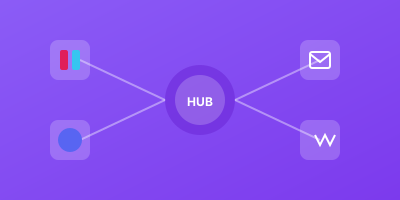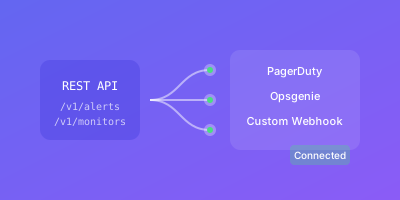
A single notification channel isn't enough for critical alerts. Email delays, Slack outages, and missed phone calls happen. A multi-channel strategy ensures you're always notified when it matters most.
Why Multi-Channel?
Single-channel failures:
- Email - Spam filters, delivery delays, inbox overload
- Slack - Service outages, notification settings, app crashes
- SMS - Carrier issues, phone off, do-not-disturb mode
- Phone - Missed calls, voicemail delays
Multi-channel ensures backup delivery paths.
Channel Characteristics
| Channel | Speed | Reliability | Intrusiveness | Cost |
|---|---|---|---|---|
| Phone call | Instant | High | Very high | High |
| SMS | Instant | High | High | Medium |
| Push notification | Instant | Medium | Medium | Low |
| Slack/Discord | Fast | Medium | Low | Free |
| Slow | High | Low | Free |
Designing Your Strategy
Step 1: Classify Alert Severity
Define clear severity levels:
| Level | Definition | Example |
|---|---|---|
| Critical | Production down, revenue impact | API returning 500 |
| High | Degraded performance, imminent failure | Response time > 5s |
| Medium | Potential issue, needs attention | SSL expires in 7 days |
| Low | Informational, no immediate action | Successful deployment |
Step 2: Map Channels to Severity
| Severity | Primary Channel | Backup Channel | Tertiary |
|---|---|---|---|
| Critical | Phone call | SMS | Slack |
| High | SMS | Slack | |
| Medium | Slack | - | |
| Low | - | - |
Step 3: Define Time-Based Routing
Different strategies for different times:
Business Hours (9 AM - 6 PM):
- Critical: Slack → SMS (after 5 min)
- High: Slack → Email
- Medium/Low: Email only
After Hours (6 PM - 9 AM):
- Critical: Phone call → SMS → Slack
- High: SMS → Slack
- Medium: Queue for morning
- Low: Skip
Weekends:
- Critical only: Phone → SMS
- All others: Queue for Monday
Building Redundancy
Parallel Notification
Send to multiple channels simultaneously:
Critical Alert
├── SMS to on-call
├── Phone call to on-call
├── Slack #incidents
└── Email to team
Sequential Escalation
If no acknowledgment, escalate:
T+0:   Slack notification
T+5:   SMS to primary on-call
T+10:  Phone call to primary
T+15:  SMS to secondary on-call
T+20:  Phone to secondary
T+30:  Page entire team
Geographic Redundancy
For global teams, use location-aware routing:
Alert detected in US-East
├── If 9 AM - 6 PM EST: US team
├── If 6 PM - 2 AM EST: EU team
└── If 2 AM - 9 AM EST: APAC team
Implementation Patterns
Primary + Backup
def send_alert(alert):
    # Try primary channel
    success = send_slack(alert)

    # If primary fails, use backup
    if not success:
        send_sms(alert)
Parallel with Acknowledgment
import asyncio

async def send_alert(alert):
    # Send to all channels
    await asyncio.gather(
        send_slack(alert),
        send_sms(alert),
        send_email(alert)
    )

    # Wait for acknowledgment
    acked = await wait_for_ack(alert, timeout=300)

    if not acked:
        # Escalate
        await send_phone_call(alert)
Severity-Based Router
def route_alert(alert):
    severity = alert['severity']

    if severity == 'critical':
        send_phone(alert)
        send_sms(alert)
        send_slack(alert, channel='#incidents')
    elif severity == 'high':
        send_sms(alert)
        send_slack(alert, channel='#ops')
    elif severity == 'medium':
        send_slack(alert, channel='#monitoring')
    else:
        send_email(alert)
Avoiding Alert Fatigue
Multi-channel doesn't mean more noise. Prevent fatigue:
Deduplication
Don't repeat the same alert:
if alert_key in recent_alerts:
    return  # Skip duplicate

recent_alerts.add(alert_key)
expire_after(alert_key, minutes=30)
Intelligent Grouping
Group related alerts:
Instead of:
- Server 1 down
- Server 2 down
- Server 3 down

Send:
- 3 servers down in us-east cluster
Quiet Hours
Respect off-hours for non-critical:
if not is_critical(alert) and is_quiet_hours():
    queue_for_morning(alert)
    return
Channel-Specific Filtering
Not every alert needs every channel:
if alert['severity'] != 'critical':
    skip_channels(['phone', 'sms'])
Testing Your Strategy
Regular Drills
Monthly tests:
- Trigger test critical alert
- Verify all channels receive
- Time acknowledgment speed
- Test escalation path
Chaos Testing
Periodically simulate channel failures:
- Disable Slack integration
- Trigger alert
- Verify backup channel works
- Re-enable and verify recovery
Coverage Review
Quarterly review:
- Are all critical monitors covered?
- Are escalation paths up to date?
- Are contact details current?
- Are schedules accurate?
Documentation
Alert Runbook
For each alert type:
- What does this alert mean?
- Who is responsible?
- What's the immediate action?
- How to escalate?
- How to resolve?
Channel Configuration
Document:
- Webhook URLs
- API keys (securely)
- Channel names
- Escalation policies
- On-call schedules
Metrics to Track
Monitor your alerting system:
| Metric | Target |
|---|---|
| Time to notification | < 60 seconds |
| Acknowledgment time | < 5 minutes |
| Escalation rate | < 10% |
| False positive rate | < 5% |
| Channel delivery success | > 99% |
Common Mistakes
Too Many Channels
Every channel adds noise. Only add channels that provide value.
No Acknowledgment Flow
If you don't track acknowledgment, you don't know if alerts are seen.
Outdated Contacts
Phone numbers change. Review contacts quarterly.
Same Treatment for All
Not all alerts are equal. Differentiate by severity.
No Testing
Untested alerting fails when you need it most.
Alerting Strategy Checklist
- Severity levels defined
- Channels mapped to severities
- Time-based routing configured
- Escalation policies created
- Backup channels configured
- Deduplication enabled
- Quiet hours respected
- Regular testing scheduled
- Documentation complete
- Metrics tracking enabled
Conclusion
A multi-channel alerting strategy is insurance against notification failures. The goal isn't more alerts—it's reliable delivery of the right alerts to the right people.
Start simple: critical alerts to multiple channels, lower severity to fewer. Then refine based on what works for your team.