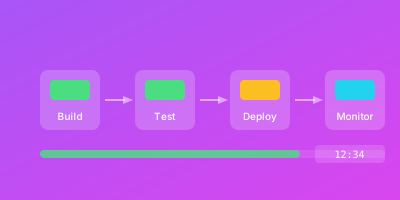
GitOps représente une évolution majeure dans la gestion des infrastructures cloud-native : Git devient la source unique de vérité pour l'état désiré du système.
Cette approche déclarative s'étend naturellement au monitoring. Au lieu de configurer manuellement alertes et dashboards, définissez tout comme code.
Qu'est-ce que l'Intégration GitOps-Monitoring ?
L'intégration GitOps-Monitoring consiste à gérer la configuration complète de votre stack d'observabilité selon les principes GitOps : déclaratif, versionné et automatiquement synchronisé.
Ce que cela signifie concrètement
Vos configurations de monitoring sont stockées dans Git :
- Règles d'alerte Prometheus
- Dashboards Grafana
- Configurations de collecteurs
- Définitions de SLO
Un opérateur GitOps surveille ces fichiers et applique automatiquement les changements.
Unification infrastructure et monitoring
Quand un développeur ajoute un nouveau service, le même pull request peut inclure :
# service.yaml - Le service
apiVersion: apps/v1
kind: Deployment
metadata:
  name: payment-service
spec:
  replicas: 3
  # ...

---
# monitoring/servicemonitor.yaml - Sa surveillance
apiVersion: monitoring.coreos.com/v1
kind: ServiceMonitor
metadata:
  name: payment-service
spec:
  selector:
    matchLabels:
      app: payment-service
  endpoints:
    - port: metrics
      interval: 15s

---
# monitoring/alerts.yaml - Ses alertes
apiVersion: monitoring.coreos.com/v1
kind: PrometheusRule
metadata:
  name: payment-service-alerts
spec:
  groups:
    - name: payment
      rules:
        - alert: PaymentHighErrorRate
          expr: rate(payment_errors_total[5m]) > 0.01
Pourquoi Intégrer GitOps et Monitoring
Traçabilité et auditabilité
L'historique Git documente chaque modification :
# Qui a modifié cette alerte et quand?
git log --oneline monitoring/alerts/payment-service.yaml

# Pourquoi ce seuil a-t-il été changé?
git show abc123 --stat
Cette traçabilité satisfait les auditeurs et facilite le troubleshooting.
Reproductibilité des environnements
Les configurations définies comme code s'appliquent identiquement partout :
environments/
├── dev/
│   └── kustomization.yaml    # Seuils relaxés
├── staging/
│   └── kustomization.yaml    # Seuils production
└── production/
    └── kustomization.yaml    # Alertes actives
Fini les divergences sources de surprises lors des incidents.
Collaboration améliorée
Les changements passent par pull requests :
## PR: Ajuster seuil alerte latence payment

### Contexte
Faux positifs fréquents le lundi matin (pic de trafic prévu)

### Changement
- Seuil latence p99: 200ms → 300ms
- Fenêtre d'évaluation: 5m → 10m

### Validation
- Testé en staging pendant 1 semaine
- Zéro faux positif, 100% des vrais incidents détectés
Résilience et rollback
Une alerte mal configurée génère trop de bruit ?
# Rollback instantané
git revert HEAD
git push

# ArgoCD synchronise automatiquement
Alignement infrastructure-monitoring
Quand un service est décommissionné, son monitoring l'est aussi dans le même commit. Fini les alertes orphelines.
Comment Implémenter l'Intégration GitOps-Monitoring
Couche 1 : Définition des ressources comme code
Pour Prometheus avec l'Operator :
# PrometheusRule pour les alertes
apiVersion: monitoring.coreos.com/v1
kind: PrometheusRule
metadata:
  name: api-gateway-alerts
  namespace: monitoring
  labels:
    prometheus: main
spec:
  groups:
    - name: api-gateway
      interval: 30s
      rules:
        - alert: APIGatewayHighLatency
          expr: |
            histogram_quantile(0.99,
              rate(http_request_duration_seconds_bucket{service="api-gateway"}[5m])
            ) > 0.5
          for: 5m
          labels:
            severity: warning
          annotations:
            summary: "Latence p99 élevée sur API Gateway"
            runbook_url: "https://wiki/runbooks/api-latency"
Pour Grafana avec l'Operator :
apiVersion: grafana.integreatly.org/v1beta1
kind: GrafanaDashboard
metadata:
  name: api-gateway-dashboard
spec:
  resyncPeriod: 30s
  json: |
    {
      "title": "API Gateway",
      "panels": [...]
    }
Couche 2 : Structure du repository
Organisation recommandée :
infrastructure/
├── base/
│   ├── monitoring/
│   │   ├── prometheus/
│   │   │   ├── rules/
│   │   │   │   ├── common-alerts.yaml
│   │   │   │   └── slo-alerts.yaml
│   │   │   └── servicemonitors/
│   │   └── grafana/
│   │       └── dashboards/
│   └── applications/
└── overlays/
    ├── dev/
    │   └── kustomization.yaml
    ├── staging/
    │   └── kustomization.yaml
    └── production/
        └── kustomization.yaml
Les overlays Kustomize permettent de mutualiser tout en personnalisant :
# overlays/production/kustomization.yaml
apiVersion: kustomize.config.k8s.io/v1beta1
kind: Kustomization
resources:
  - ../../base/monitoring

patches:
  - patch: |-
      - op: replace
        path: /spec/groups/0/rules/0/for
        value: 2m  # Plus strict en prod
    target:
      kind: PrometheusRule
      name: api-gateway-alerts
Couche 3 : Configuration ArgoCD
Configurez ArgoCD pour synchroniser le monitoring :
apiVersion: argoproj.io/v1alpha1
kind: Application
metadata:
  name: monitoring-config
  namespace: argocd
spec:
  project: default
  source:
    repoURL: https://github.com/org/infrastructure
    targetRevision: main
    path: overlays/production/monitoring
  destination:
    server: https://kubernetes.default.svc
    namespace: monitoring
  syncPolicy:
    automated:
      prune: true
      selfHeal: true
    syncOptions:
      - CreateNamespace=true
Couche 4 : Intégration CI/CD
Validez les configurations dans vos pipelines :
# .github/workflows/validate-monitoring.yml
name: Validate Monitoring Config

on:
  pull_request:
    paths:
      - 'infrastructure/**/monitoring/**'

jobs:
  validate:
    runs-on: ubuntu-latest
    steps:
      - uses: actions/checkout@v4

      - name: Validate Prometheus Rules
        run: |
          promtool check rules infrastructure/base/monitoring/prometheus/rules/*.yaml

      - name: Validate Alertmanager Config
        run: |
          amtool check-config infrastructure/base/monitoring/alertmanager/config.yaml

      - name: Lint Grafana Dashboards
        run: |
          npx @grafana/dashboard-linter lint infrastructure/base/monitoring/grafana/dashboards/*.json
Couche 5 : Gestion des secrets
Les credentials ne doivent jamais apparaître en clair :
# Avec Sealed Secrets
apiVersion: bitnami.com/v1alpha1
kind: SealedSecret
metadata:
  name: alertmanager-slack-webhook
spec:
  encryptedData:
    webhook_url: AgBy3i4OJSWK+PiTySYZZA9r...
Bonnes Pratiques d'Intégration GitOps-Monitoring
Convention de nommage
Adoptez un pattern cohérent :
{service}-{type}-{environment}

Exemples:
  payment-service-alerts-prod
  api-gateway-dashboard-staging
  user-service-servicemonitor
Validations automatiques
Implémentez des checks dans votre CI :
# Vérifier que chaque alerte a les annotations requises
- name: Check Alert Annotations
  run: |
    for file in monitoring/alerts/*.yaml; do
      yq '.spec.groups[].rules[] | select(.alert) |
        select(.annotations.summary == null or .annotations.runbook_url == null)' "$file" && exit 1
    done
Templates réutilisables
Créez des modules pour standardiser :
# templates/service-monitoring.yaml
apiVersion: monitoring.coreos.com/v1
kind: ServiceMonitor
metadata:
  name: {{ .serviceName }}
spec:
  selector:
    matchLabels:
      app: {{ .serviceName }}
  endpoints:
    - port: metrics
      interval: {{ .scrapeInterval | default "15s" }}

---
apiVersion: monitoring.coreos.com/v1
kind: PrometheusRule
metadata:
  name: {{ .serviceName }}-alerts
spec:
  groups:
    - name: {{ .serviceName }}
      rules:
        - alert: {{ .serviceName | title }}HighErrorRate
          expr: rate({{ .serviceName }}_errors_total[5m]) > {{ .errorThreshold }}
Gestion du cycle de vie
Quand un service est décommissionné, supprimez son monitoring dans le même commit :
# Un seul commit pour tout supprimer
git rm services/legacy-api/
git rm monitoring/legacy-api/
git commit -m "chore: decommission legacy-api service and monitoring"
Meta-monitoring
Supervisez votre stack de monitoring :
- alert: PrometheusRuleEvaluationSlow
  expr: prometheus_rule_group_last_duration_seconds > 30
  for: 5m
  labels:
    severity: warning
  annotations:
    summary: "Évaluation des règles trop lente"
Conclusion
L'intégration GitOps-Monitoring représente une maturation naturelle des pratiques DevOps.
En traitant votre configuration de monitoring avec la même rigueur que votre code applicatif, vous gagnez en reproductibilité, traçabilité et capacité de collaboration.
Cette approche demande un investissement initial en structuration mais génère des gains durables en maintenabilité et fiabilité.
WizStatus s'intègre dans vos workflows GitOps en exposant des APIs permettant de synchroniser vos configurations de monitoring depuis vos pipelines CI/CD.
Guides connexes
- Monitoring Infrastructure as Code — Surveillez le code d'infrastructure que GitOps déploie
- Monitoring des Pipelines CI/CD — Suivez les pipelines de déploiement dans votre workflow GitOps
- Guide Stratégie Monitoring DevOps — Intégrez le monitoring GitOps dans votre stratégie globale
- Chaos Engineering et Monitoring — Validez les déploiements GitOps avec des expériences de chaos contrôlé