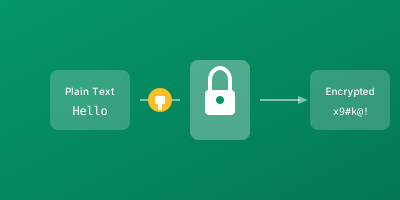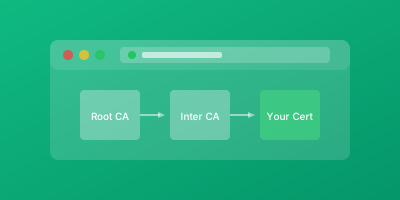
SSL/TLS certificates encrypt connections, but comprehensive HTTPS security requires additional configuration through HTTP security headers. Headers like HSTS prevent protocol downgrade attacks, CSP blocks mixed content and XSS, and others protect against various web security threats.
Properly configured security headers complement your SSL certificate, closing gaps that encryption alone doesn't address. Without these headers, attackers can exploit edge cases in how browsers handle secure connections.
What are SSL Security Headers?
Security headers are HTTP response headers that instruct browsers to enable or require specific security behaviors. While these headers work alongside any HTTP response, several are specifically relevant to SSL/TLS security.
Key Security Headers
| Header | Purpose |
|---|---|
| Strict-Transport-Security (HSTS) | Forces HTTPS connections, prevents downgrade attacks |
| Content-Security-Policy (CSP) | Controls resource loading, prevents mixed content and XSS |
| X-Content-Type-Options | Prevents MIME type sniffing |
| X-Frame-Options | Prevents clickjacking attacks |
| Referrer-Policy | Controls referrer information leakage |
| Permissions-Policy | Restricts browser feature access |
Each header addresses specific attack vectors. Together, they form a defense-in-depth strategy that protects users even when other controls fail.
Why Security Headers Matter
Security headers protect against attacks that bypass SSL/TLS encryption.
SSL Stripping Attacks
Without HSTS, users face security risks during HTTP-to-HTTPS transition:
- Attacker intercepts HTTP connection before redirect
- Attacker presents fake HTTP version of your site
- Your server's HTTPS redirect never reaches the user
HSTS prevents this by instructing browsers to always use HTTPS directly, never attempting HTTP connections.
Mixed Content Risks
Loading HTTP resources on HTTPS pages undermines encryption by exposing some content to interception. CSP can block mixed content automatically and report violations for remediation.
Clickjacking Prevention
Clickjacking wraps your site in invisible frames, tricking users into clicking things they didn't intend. Frame options headers prevent your site from being framed by attackers.
Compliance Requirements
Security audits and compliance frameworks often require specific security headers, making them necessary for regulatory compliance as well as technical security.
Key Security Headers Implementation
Strict-Transport-Security (HSTS)
Instructs browsers to use HTTPS only:
Strict-Transport-Security: max-age=31536000; includeSubDomains; preload
| Directive | Purpose |
|---|---|
| max-age=31536000 | Remember policy for 1 year (in seconds) |
| includeSubDomains | Apply to all subdomains |
| preload | Enable browser preload list submission |
Content-Security-Policy (CSP)
Controls what resources can load. Start with a baseline:
Content-Security-Policy: default-src https:; upgrade-insecure-requests
This requires HTTPS for all resources and automatically upgrades HTTP requests.
More restrictive example:
Content-Security-Policy: default-src 'self'; script-src 'self' https://trusted-cdn.com; style-src 'self' 'unsafe-inline'; img-src 'self' data: https:; upgrade-insecure-requests
X-Content-Type-Options
Prevents MIME type guessing:
X-Content-Type-Options: nosniff
This blocks attacks that rely on browsers incorrectly interpreting file types.
X-Frame-Options
Prevents framing of your pages:
X-Frame-Options: DENY
Or allow same-origin framing only:
X-Frame-Options: SAMEORIGIN
frame-ancestors directive, which offers more flexibility: Content-Security-Policy: frame-ancestors 'self'Referrer-Policy
Controls referrer information sent with requests:
Referrer-Policy: strict-origin-when-cross-origin
This provides useful referrer information for same-origin requests while protecting sensitive URLs from leaking cross-origin.
Permissions-Policy
Restricts browser feature access:
Permissions-Policy: geolocation=(), camera=(), microphone=()
Server Configuration Examples
Nginx
server {
    listen 443 ssl http2;
    server_name example.com;

    # Security headers
    add_header Strict-Transport-Security "max-age=31536000; includeSubDomains; preload" always;
    add_header X-Content-Type-Options "nosniff" always;
    add_header X-Frame-Options "DENY" always;
    add_header Referrer-Policy "strict-origin-when-cross-origin" always;
    add_header Content-Security-Policy "default-src 'self'; upgrade-insecure-requests" always;
    add_header Permissions-Policy "geolocation=(), camera=(), microphone=()" always;
}
Apache
<VirtualHost *:443>
    ServerName example.com

    # Security headers
    Header always set Strict-Transport-Security "max-age=31536000; includeSubDomains; preload"
    Header always set X-Content-Type-Options "nosniff"
    Header always set X-Frame-Options "DENY"
    Header always set Referrer-Policy "strict-origin-when-cross-origin"
    Header always set Content-Security-Policy "default-src 'self'; upgrade-insecure-requests"
    Header always set Permissions-Policy "geolocation=(), camera=(), microphone=()"
</VirtualHost>
Security Header Best Practices
Staged HSTS Implementation
- Start with short max-age (hours)
- Progress to days as you confirm stability
- Then set to one year
- Never enable preloading until you're certain you won't need HTTP access
Deploy CSP Carefully
Start with report-only mode:
Content-Security-Policy-Report-Only: default-src 'self'; report-uri /csp-report
This identifies what would be blocked without actually breaking functionality. Monitor reports and refine policy before enforcement.
Test Across Browsers
Implementation details vary across browsers and platforms. Use online tools to audit your configuration:
- securityheaders.com
- Mozilla Observatory
- SSL Labs server test
Document Everything
Security headers affect site functionality. Document:
- What headers are configured
- Why each restriction exists
- Who approved exceptions
Future developers need to understand these restrictions.
Monitor and Update
- Include security headers in deployment checklists
- Add automated testing for header presence
- Review headers when adding new features or integrations
- Update headers when CDN or infrastructure changes
Conclusion
Security headers complement your SSL certificate, protecting against attacks that encryption alone doesn't prevent.
Implementation Priority
- Start with high-impact, low-risk: X-Content-Type-Options
- Add HSTS: With staged rollout
- Implement CSP: With thorough testing
- Add remaining headers: Referrer-Policy, Permissions-Policy, X-Frame-Options
Each header closes specific attack vectors, building comprehensive protection for your users. Monitor and refine headers over time as your site evolves and browser security capabilities advance.
Related Guides
- HSTS Implementation Guide — Deep dive into HSTS, the most critical security header
- Mixed Content Errors Fix — Resolve mixed content issues that security headers help prevent
- SSL Certificate Monitoring: Complete Guide — Monitor the certificates that security headers protect
- TLS 1.2 vs TLS 1.3 Differences — Ensure your TLS configuration matches your security header policies